Create Memory Limit
Description
A Memory Limit rule is designed to check the percentage of memory usage.
Steps to Create Rule
-
Click the "Create Rule" button in the "Throttling Rules" tab of the Throttling view.
-
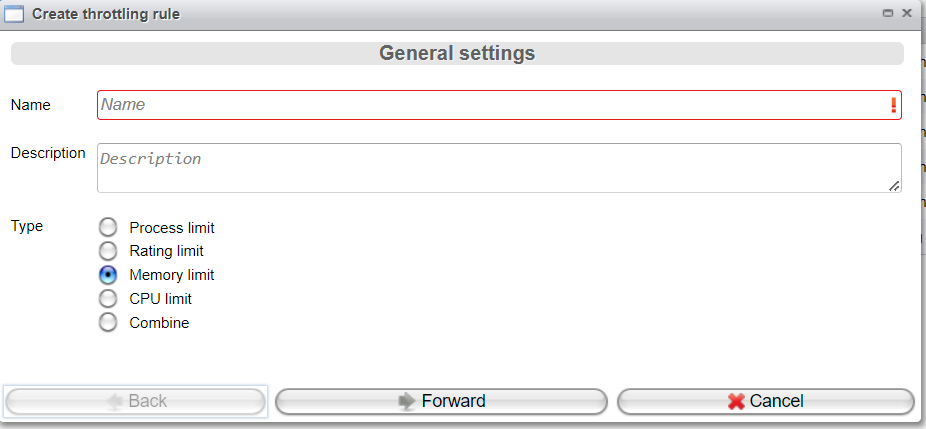
To create a Memory Limit Rule, configure the following parameters:
- Enter the rule's Name.
- Enter a Description.
- Choose the Type
Memory Limit.
Now, click "Forward".
-
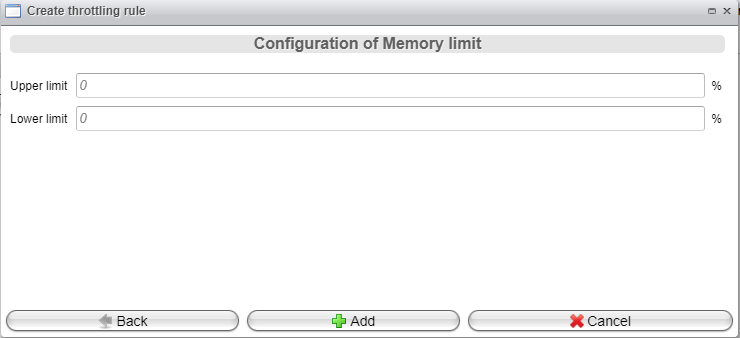
Configure the rule type-specific parameters:
- Upper Limit: When the current memory consumption reaches this limit, the system enters an overflow state.
- Lower Limit: When memory consumption drops below this limit, the system returns to normal mode.
Finally, click the "Add" button.